 filestore
Your files, on your own storage.
filestore is a file manager for your own storage – a MinIO or S3 bucket, a local disk or an NFS share: browse, share and organize files in a modern web UI, mount it as a network drive, and bring in external storage and iCloud.
.env, done.Everything a team file store needs
From quick sharing to group folders and network drives – without handing your files to anyone else.
Files
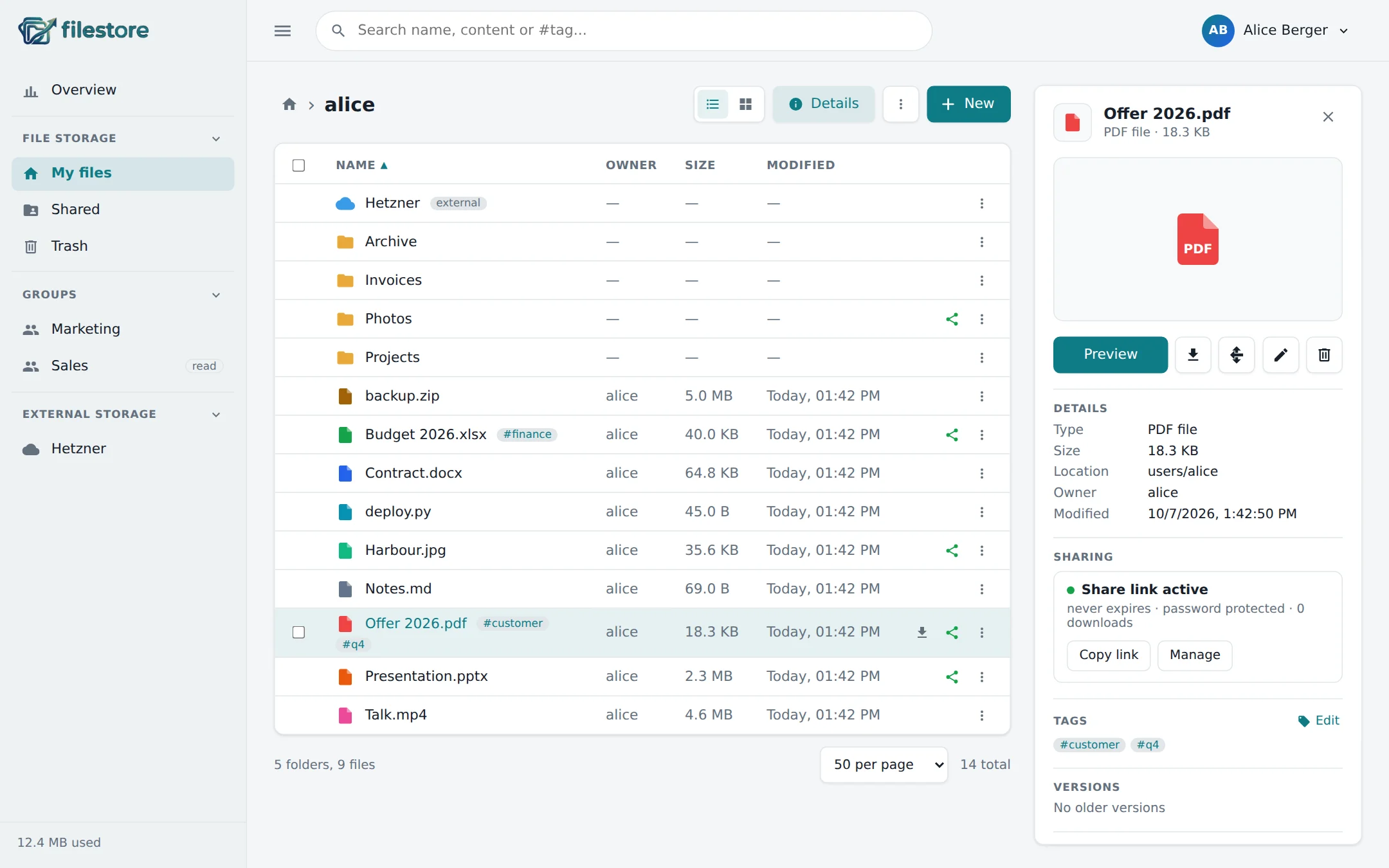
- List or grid with image thumbnails and file-type icons
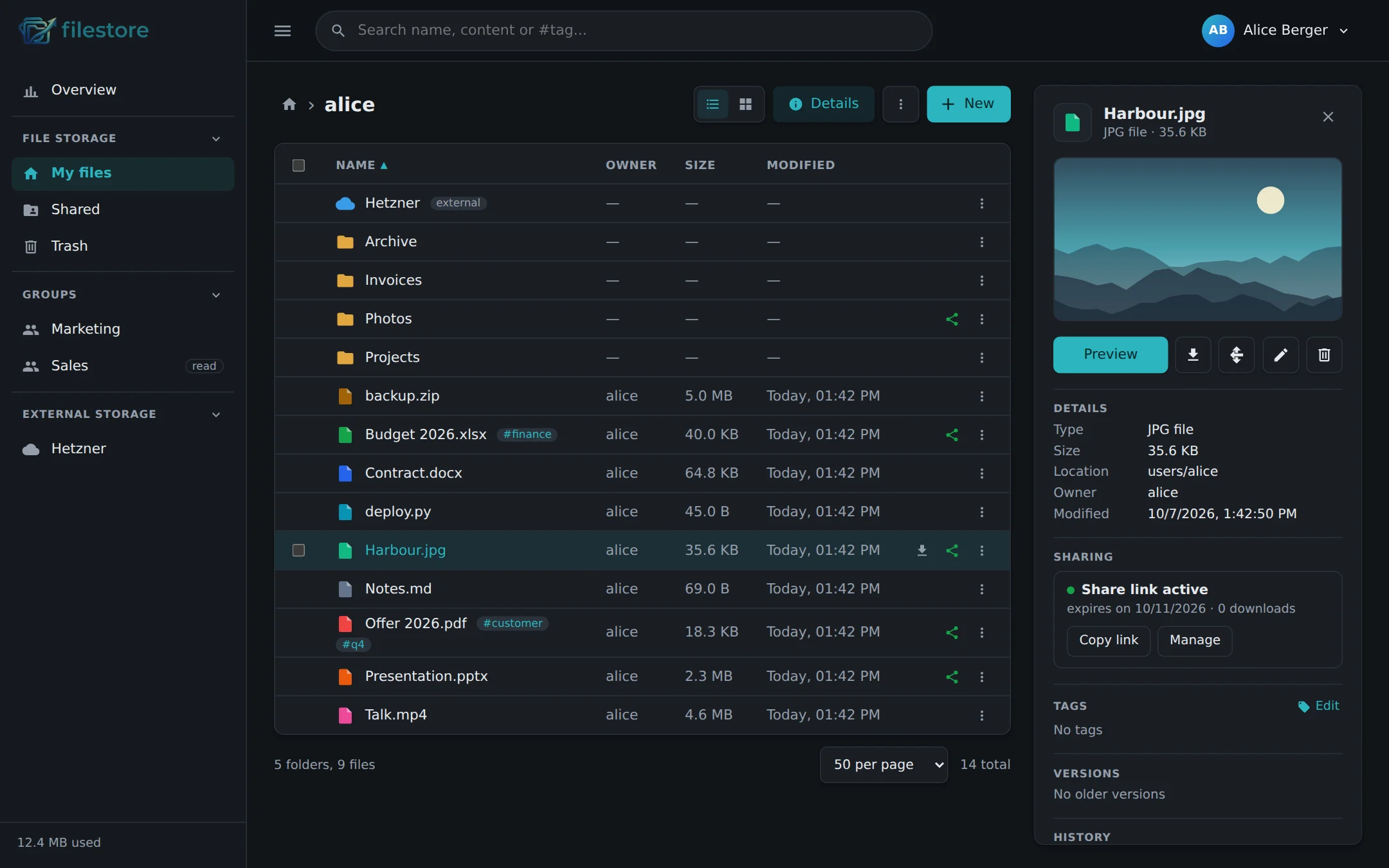
- Details panel with preview, sharing, tags, versions and history
- Drag & drop anywhere, uploads that run side by side and can be cancelled
- Preview for images, video, audio, PDF and text; folders and selections as ZIP
- Trash and versions – deletes and overwritten files can be restored
- Tags and full-text search across names, contents and
#tags
Sharing
- Share links with expiry, password, download limit and QR code
- Send links by email straight from the app
- Folder shares as a browsable page with ZIP download
- Upload links – let people without an account drop files into a folder
- One overview of all your links, with usage, to copy, edit or revoke
Teams
- Groups with their own folders and read or write roles
- A shared folder where everyone adds files but only changes their own
- Every file remembers who uploaded it – across renames and moves
- Activity log, and email notifications for downloads and expiring links
Storage & access
- WebDAV – mount filestore in Finder or Explorer with per-device app passwords
- External storage – users add their own S3 buckets as folders
- iCloud Drive and iCloud Photos per user, through one rclone container
- Storage quotas per user, enforced while uploading
Admin & security
- Local accounts and OIDC/OAuth login (Keycloak, Authentik, …)
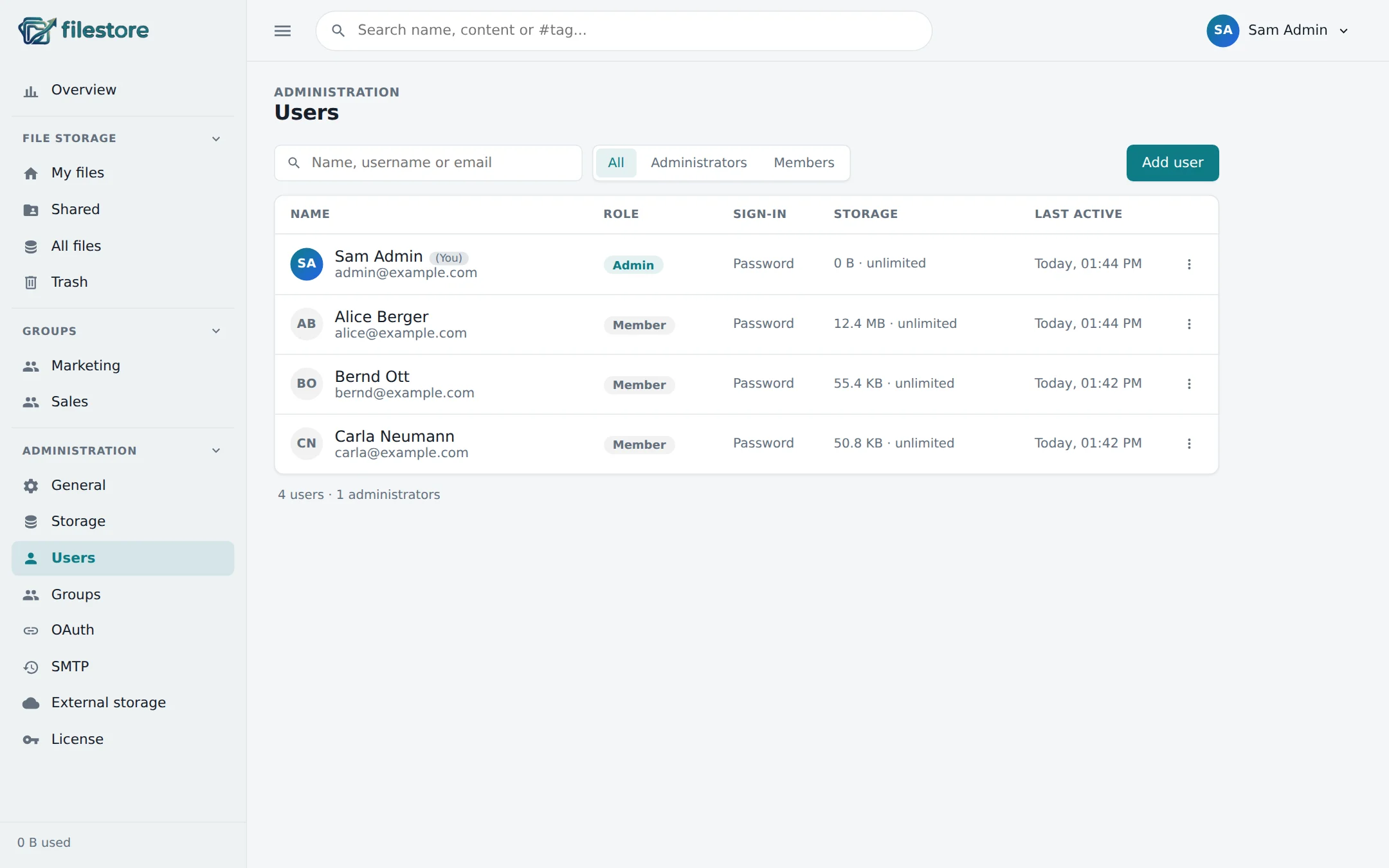
- User management with roles, quotas and last activity
- Rate-limited login, strict security headers, encrypted stored credentials
- Runs as an unprivileged user; online database backups
Insights
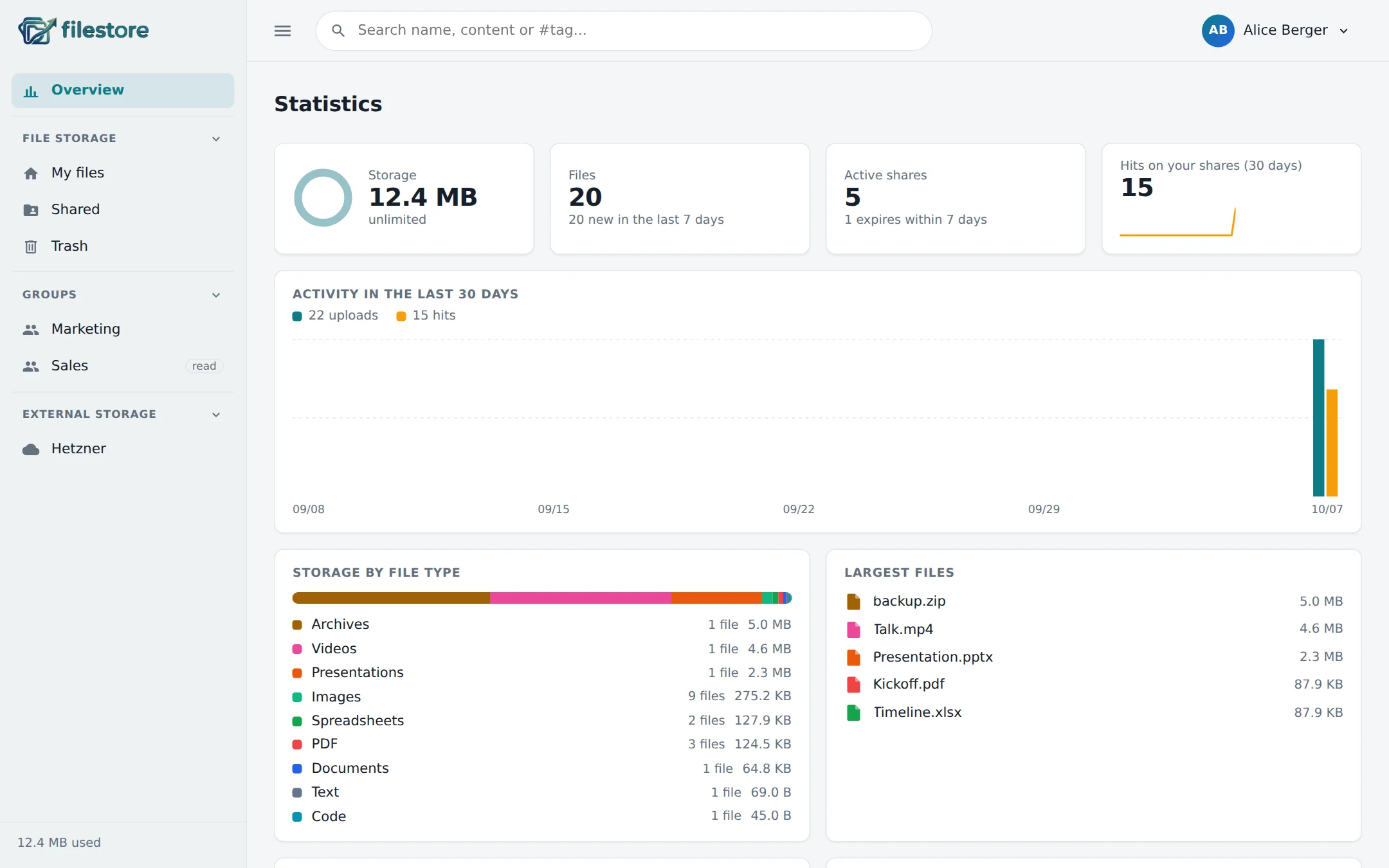
- Personal dashboard: storage, file types, largest files, link usage
- 30-day activity chart and clean-up hints for trash and old versions
- Admin statistics for security, usage and capacity
- German and English UI, light and dark mode
A quick tour
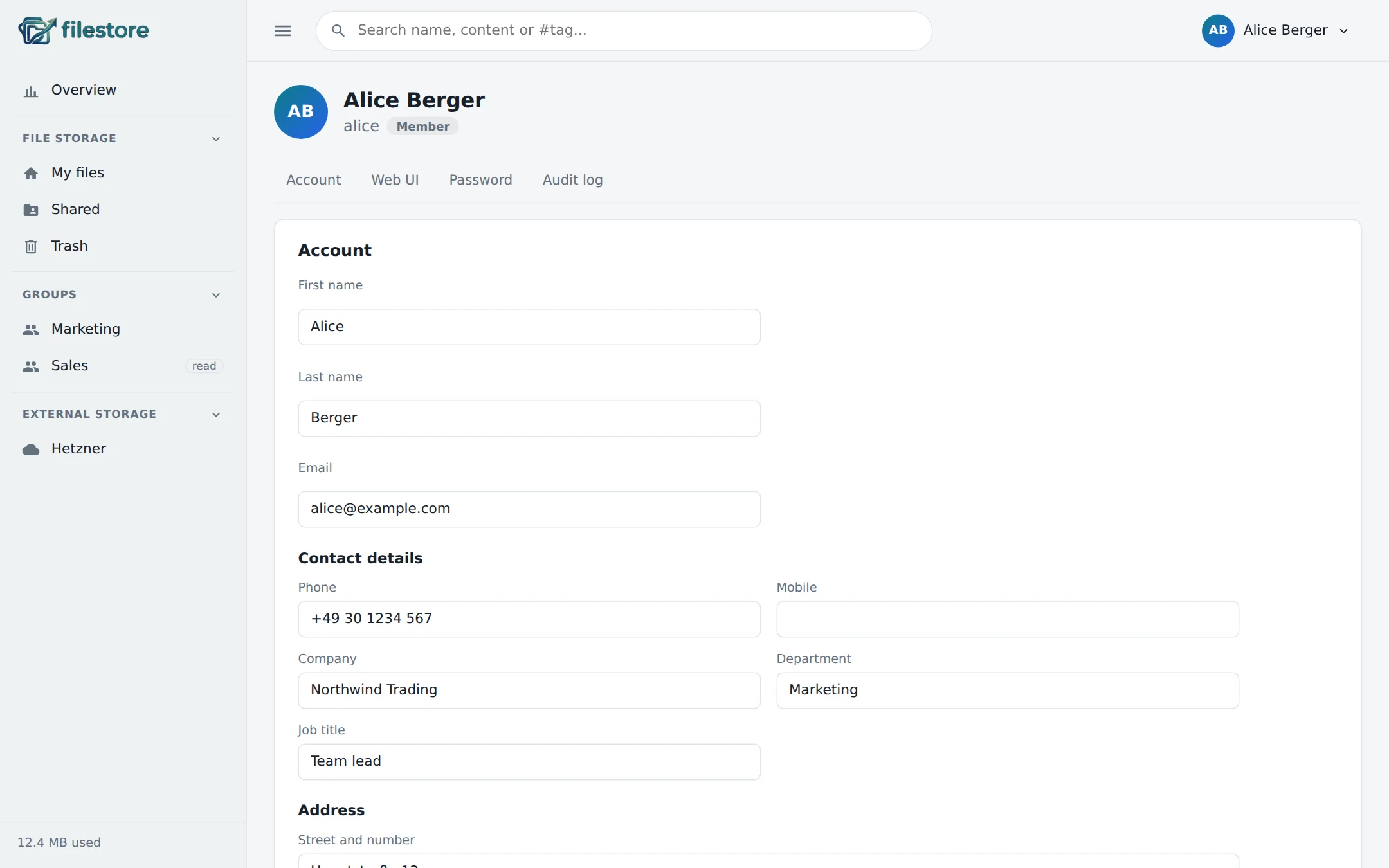
Built for the desktop, with a phone layout that keeps everything one tap away.
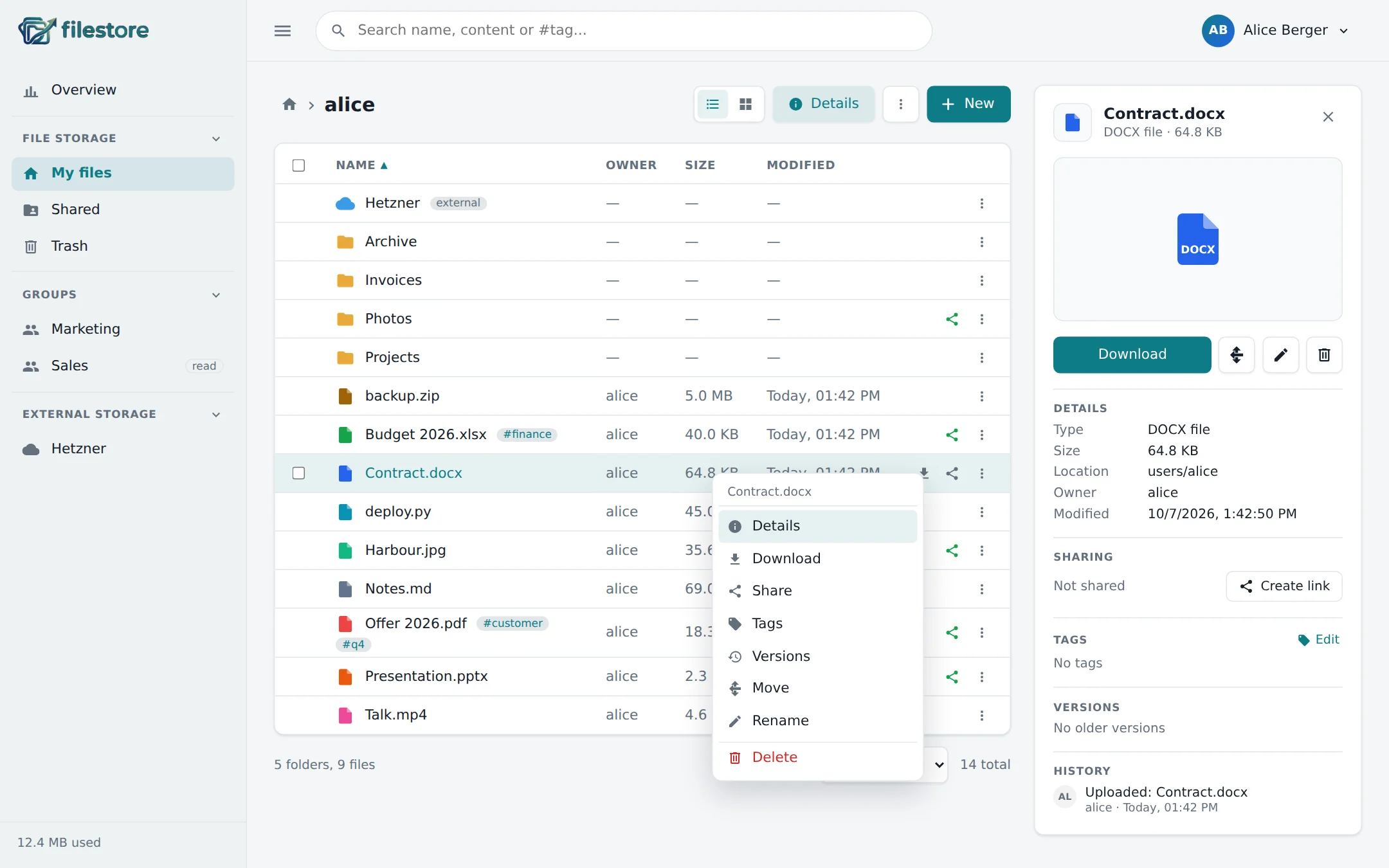
See what's in a folder at a glance
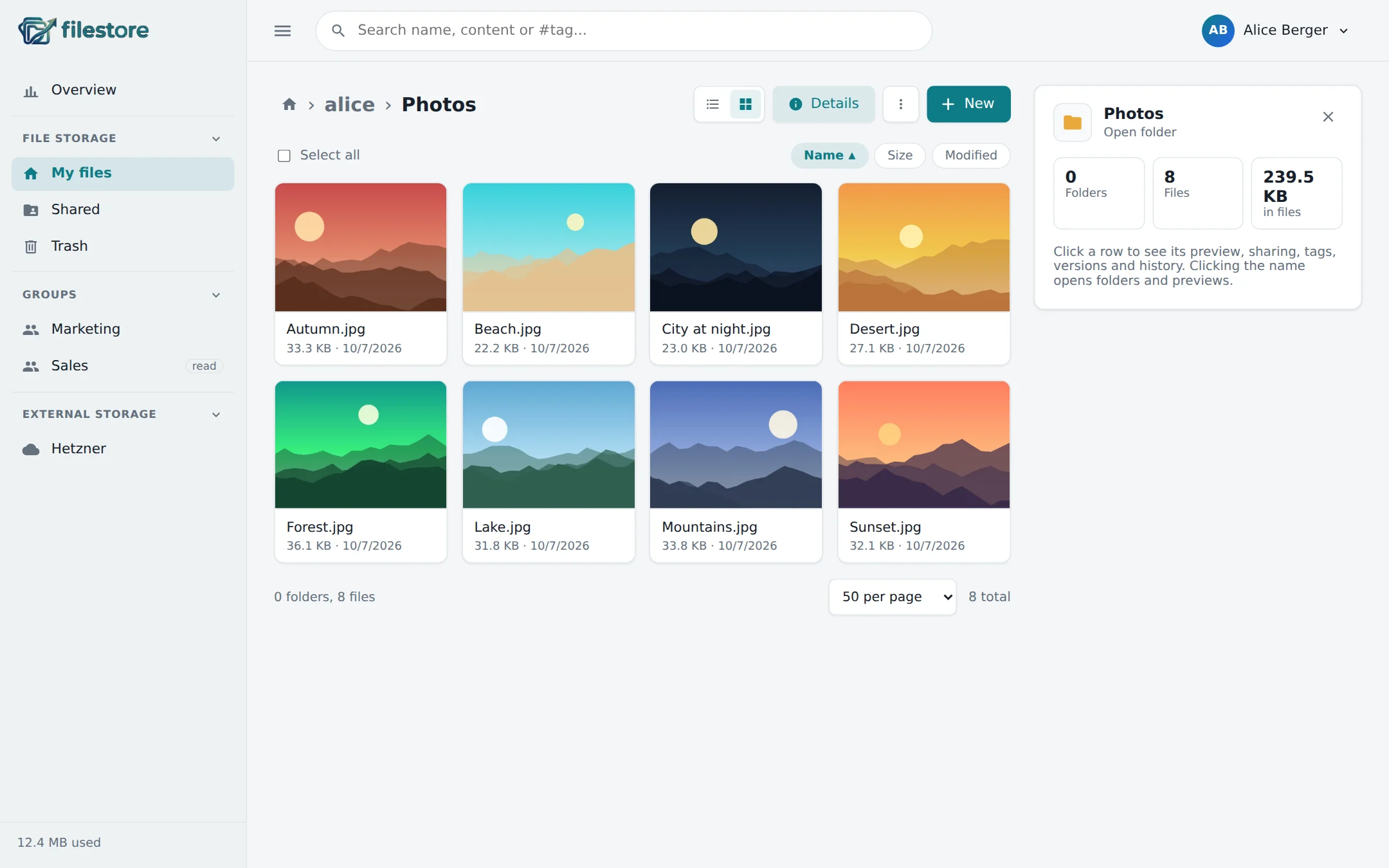
Switch to the grid for image thumbnails. Folders open with one click; a click on a row shows its details on the right.
- Right-click menu with every action
- Drop files anywhere on the page to upload
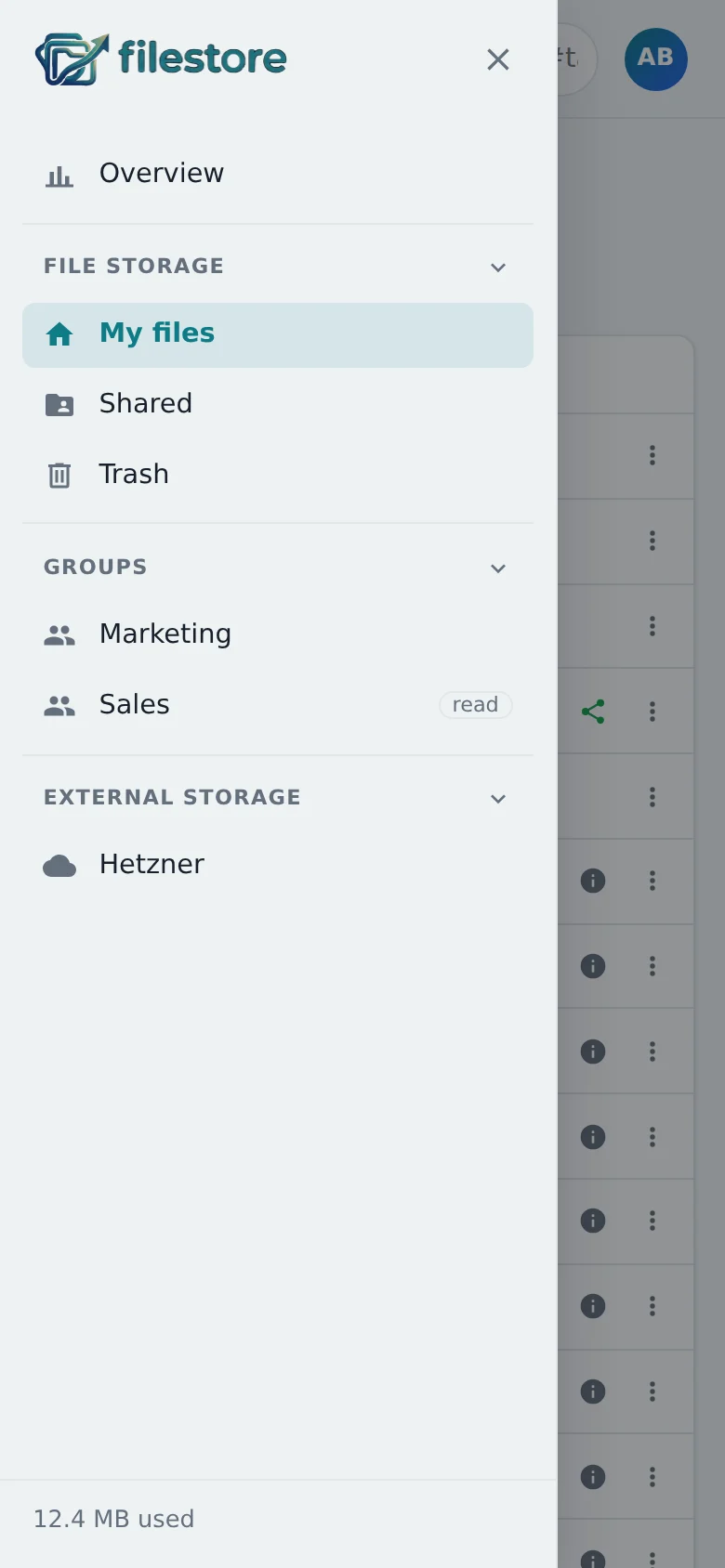
- Collapsible sidebar with groups and external storage
Share in two clicks
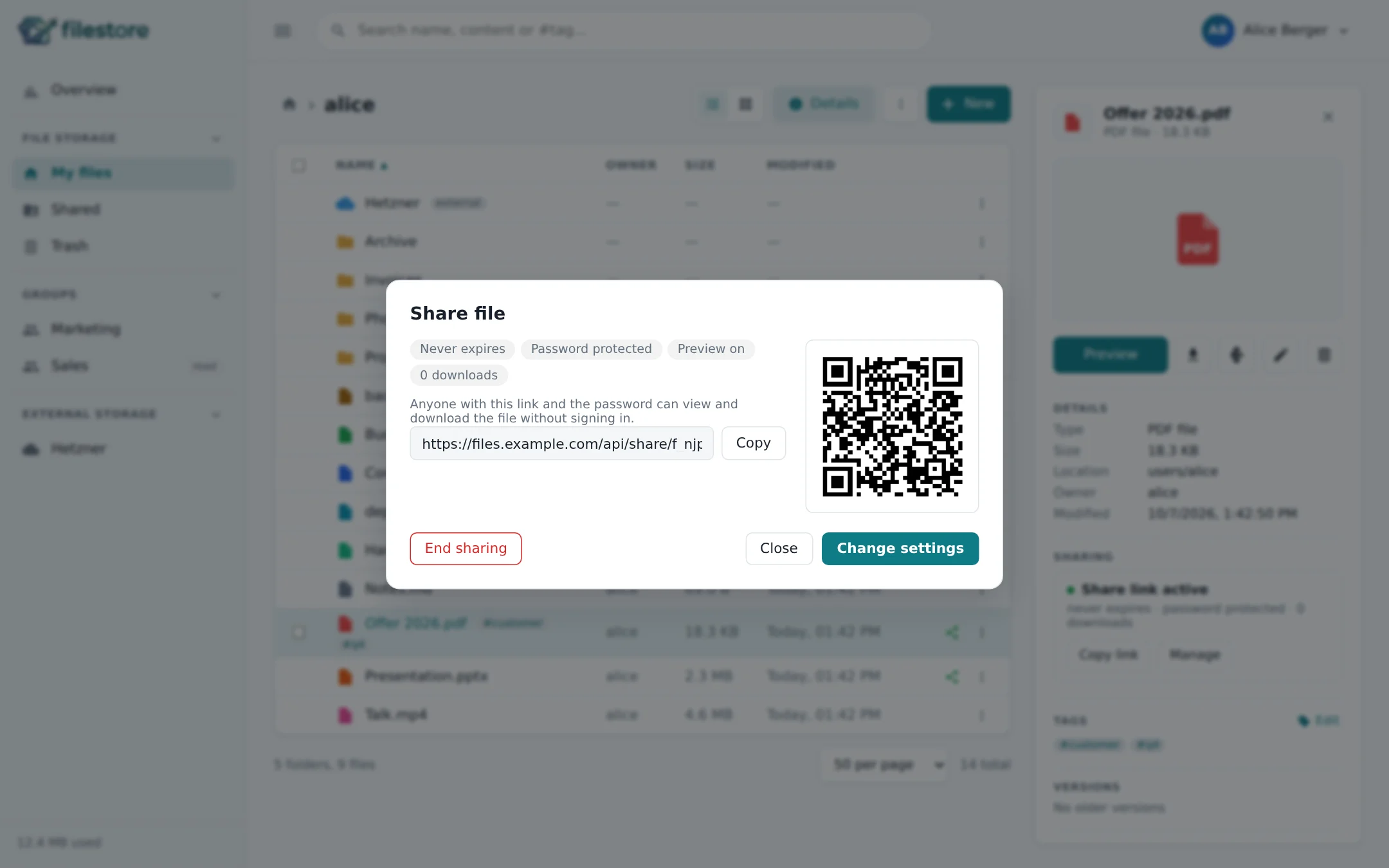
Set an expiry date, a password or a download limit – then copy the link, show the QR code or email it.
- Links for files and whole folders
- Upload links for people without an account
- Every link listed with its usage
Know where your space goes
Each user gets a dashboard of their own storage: which file types take how much, the largest files, how often shared links are opened, and what's left in the trash.
Just as good on the phone
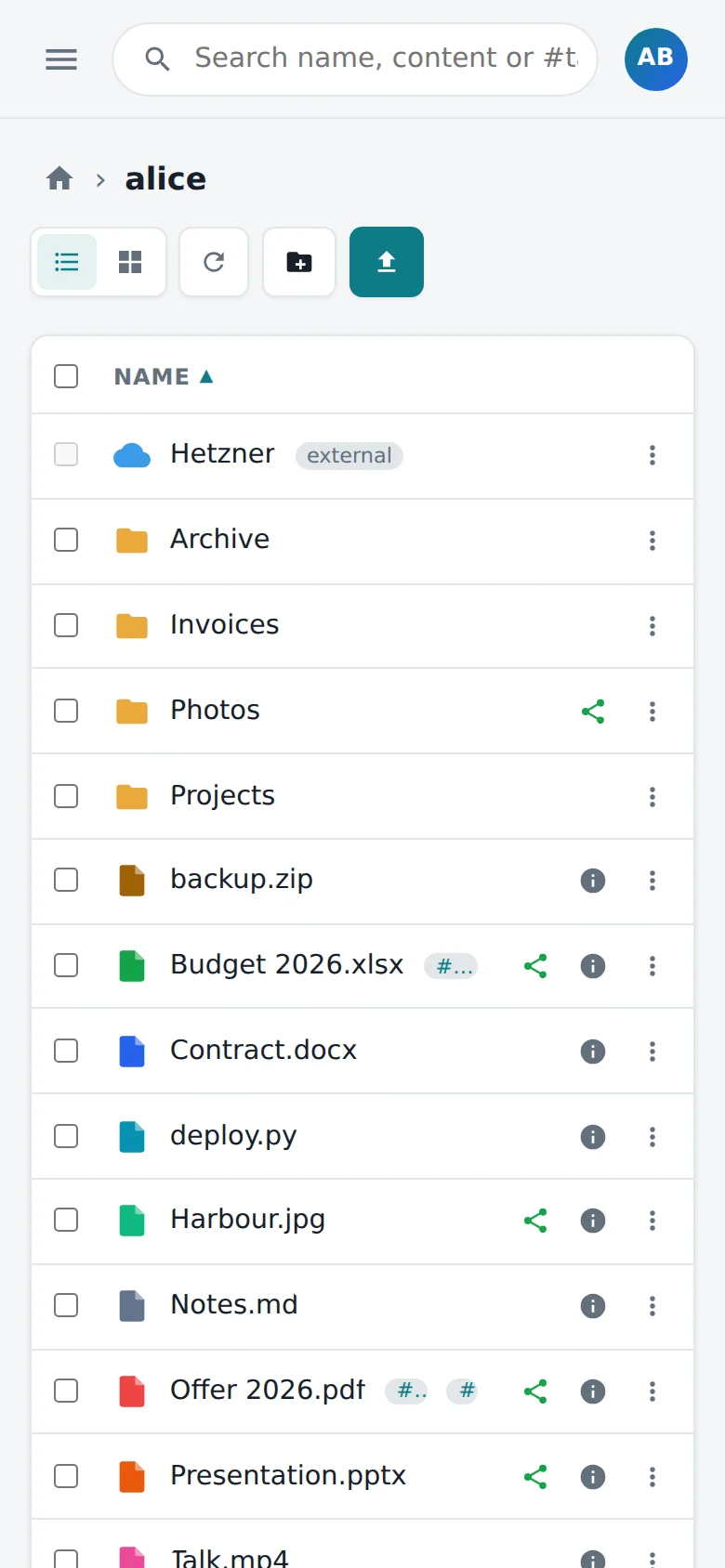
A compact list, menus that fit a thumb, and the full navigation in a drawer.
Start free, grow when you need to
Every installation runs as Community right away – no sign-up, no key. A license sets the limits and features for your team.
Community
To try everything out.
Freeno license needed
- Users
- 3
- Storage
- 3 GB
- Files, sharing, upload links
- Trash, versions, tags, search
- WebDAV network drive
- External storage
- iCloud Drive & Photos
- Groups & group folders
- Single sign-on (OIDC)
Personal
For a household or a homelab.
Licensed1 year · active instantly
- Users
- 5
- Storage
- 100 GB
- Files, sharing, upload links
- Trash, versions, tags, search
- WebDAV network drive
- External storage
- iCloud Drive & Photos
- Groups & group folders
- Single sign-on (OIDC)
Team
For small companies, clubs and practices.
Licensed1 year · on request
- Users
- 25
- Storage
- 5 TB
- Files, sharing, upload links
- Trash, versions, tags, search
- WebDAV network drive
- External storage
- iCloud Drive & Photos
- Groups & group folders
- Single sign-on (OIDC)
Business
For companies that sign in via SSO.
Licensed1 year · on request
- Users
- 100
- Storage
- 20 TB
- Files, sharing, upload links
- Trash, versions, tags, search
- WebDAV network drive
- External storage
- iCloud Drive & Photos
- Groups & group folders
- Single sign-on (OIDC)
Enterprise
For large installations without limits.
Licensed1 year · on request
- Users
- Unlimited
- Storage
- Unlimited
- Files, sharing, upload links
- Trash, versions, tags, search
- WebDAV network drive
- External storage
- iCloud Drive & Photos
- Groups & group folders
- Single sign-on (OIDC)
Users are all accounts except the local admin; storage is what's stored in the main bucket – external storage and iCloud don't count. The Community terms are set on the license server and reach your installation with its daily update check.
Get a license in the app
As an admin, open the License tab and choose a plan. Personal is active right away; Team, Business and Enterprise are a request that's activated automatically once approved.
Already have a key?
Enter the license key in the same tab. Installations without internet access get an offline license file (.lic) for their instance instead.
No surprises
Reaching a limit only refuses new accounts and uploads. If a license ends, filestore falls back to Community – nothing is locked or deleted, and settings of switched-off features are kept.
Get started
All you need is Docker or a Kubernetes cluster – and a place for the files: an S3 bucket, a local directory or an NFS share.
Ask for access
filestore isn't publicly available at the moment. Write me and you'll get the container images together with a compose file or the Kubernetes manifests.
Create a .env
The first admin account and two random secrets. Keep SECRET_ENCRYPTION_KEY unchanged afterwards – it encrypts the credentials stored in the database.
AUTH_USERNAME=admin
AUTH_PASSWORD=# choose one
SESSION_SECRET=# openssl rand -hex 32
SECRET_ENCRYPTION_KEY=# openssl rand -hex 32
# once served over HTTPS:
COOKIE_SECURE=true
Start it
docker compose -f docker-compose.prod.yml up -dOpen http://your-server:8081, sign in as the admin and choose in the short setup where files go: your S3 bucket, or a directory such as a local disk or an NFS share.
Questions & answers
Do I need a license?
No. Without a license filestore runs as Community: up to 3 users, 3 GB in the main bucket and every feature. A license is only needed for more users or more storage.
What happens when I reach a limit?
Only new things are refused: another account (also on a first SSO login), or uploads, upload links, copies and moves into the main bucket beyond the storage limit. Everything that's already there stays readable and deletable.
And when a license expires or is revoked?
filestore falls back to the Community terms. A feature that isn't included is switched off – WebDAV answers with 403, external storage and iCloud are inactive, groups grant no access – but its configuration stays for when it's licensed again.
What does filestore send to the license server?
The instance ID, the app version, basic installation info (OS, architecture, runtime, database and storage type, whether SSO is on and whether it runs in a container) and the usage: the number of users and the bytes stored. No file names, no personal data, no hostnames or paths.
Licensed installations send this hourly when renewing their lease, unlicensed ones once a day with the update check. UPDATE_CHECK=false turns that check off; the built-in Community terms apply then.
Can I run filestore without internet access?
Yes. Ask for an offline license file for your instance ID and upload it in the License tab. It's verified like an online license and valid until its end date, without contacting the server.
Which storage does it work with?
The files live in a MinIO or other S3-compatible bucket, or in a plain directory – a local disk or an NFS/SMB share mounted into the container. Users can add their own S3 buckets, iCloud Drive and iCloud Photos as extra folders.
Your own file store, in five minutes
Free for up to 3 users. Upgrade from inside the app whenever you outgrow it.